Converting Audio and Video Files for your RIM BlackBerry
The trendy new BlackBerry can do virtually everything, including play both music and video files. To successfully play media on your multimedia devices, especially HD devices, the audio and video has to be converted to appropriate format. Setting proper dimensions, frame rate, bit rate, etc. is equally important. Digital Media Converter Pro has built-in profiles for almost all popular multimedia devices like Apple iPod, iPhone, iPad, BlackBerry smartphones, Nokia, Samsung, HTC, and many more. These profiles already have the audio and video properties set to the best configuration to play on your device. There are many profiles for the popular BlackBerry smartphones from RIM: Playbook, Torch 9800, Tour, Storm, Bold, Curve, and Pearl.
Convert Your Music Collection to Play on Your BlackBerry
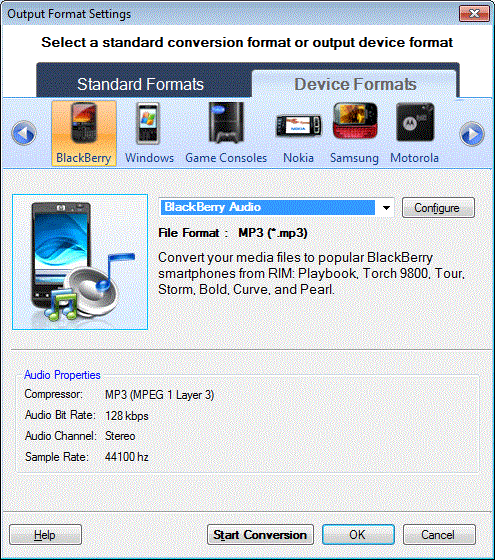
Add the music files to the conversion list by clicking File >> Add Files. You can convert the music files present on your PC.
From the Formats menu, click Select Device Profiles >> BlackBerry >> BlackBerry Audio and start the conversion.
Convert Your Movie and TV Collection for Your BlackBerry
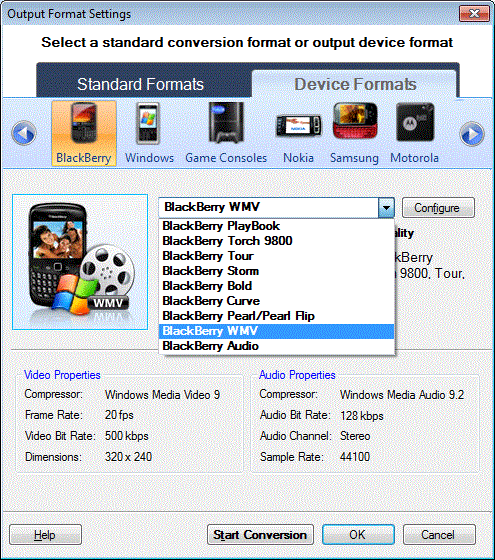
Add your video files by clicking File >> Add Files. You can choose your own BlackBerry model if listed. For each BlackBerry device, the audio and video properties like the frame rate, compressors, bit rate, dimensions etc. are already set. These settings will provide the best quality playback of your media files on your BlackBerry device. From the Formats menu, click Select Device Profiles >> BlackBerry >> BlackBerry WMV and start the conversion.
Moving Your Media Files To The BlackBerry
Digital Media Converter Pro saves all converted files in a single folder. The media files you converted our saved in Documents folder. You can change the output folder from the General Settings
Make sure your Blackberry is connected to your computer. Now use the Windows Explorer to drag the media files from your Destination folder to the BlackBerry. To play music on the BlackBerry, place the files in the Music folder of your BlackBerry device. You may create more folders in the music folder for easy organization of your music collection. For instance, you can create a folder for each album.
To play video on the BlackBerry, copy your video files into the Video folder of your BlackBerry device. As with music, you can create additional folders within the Video folder to help organize your collection. When you start the Media player on your BlackBerry, your music and videos will be listed and ready to play.
With Digital Media Converter Pro, it's easy and fast to convert your multimedia collection to play on your BlackBerry. You now know how to put your whole music and video collection in your pocket!